
Setting Up Your Ideal Podcast Studio: Setup Podcast Studio Tips
Creating a podcast that sounds professional and engaging starts with the right environment. Setting up your ideal podcast studio is essential to ensure clear audio, comfortable recording sessions, and a space that inspires creativity. Whether you are a beginner or looking to upgrade your current setup, this guide will walk you through practical steps and tips to build a podcast studio that meets your needs.
Choosing the Right Space: Setup Podcast Studio Tips
The first step in setting up your podcast studio is selecting the right room. The ideal space should be quiet, free from distractions, and have minimal background noise. Here are some key considerations:
Room Size: Smaller rooms tend to have less echo, but very small spaces can cause sound reflections. A medium-sized room with soft furnishings works best.
Noise Control: Avoid rooms near busy streets, appliances, or noisy neighbors. If unavoidable, consider soundproofing options.
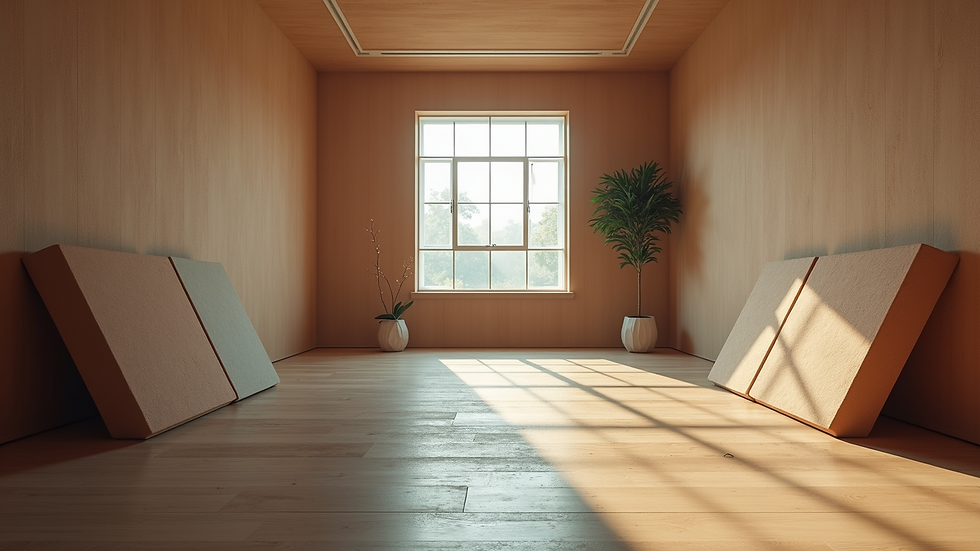
Acoustic Treatment: Use foam panels, carpets, curtains, or bookshelves to absorb sound and reduce echo. Placing a rug on the floor and heavy curtains on windows can make a big difference.
Furniture: Choose comfortable chairs and a sturdy table for your equipment. Avoid surfaces that create noise when touched or moved.
By carefully selecting and preparing your recording space, you lay the foundation for high-quality audio recordings.
Essential Equipment for Your Podcast Studio Setup Podcast Studio Tips
Once you have your space, the next step is gathering the right equipment. Investing in quality gear will improve your podcast’s sound and make recording easier.
Microphones
Dynamic Microphones: Great for beginners and noisy environments because they pick up less background noise.
Condenser Microphones: Offer higher sensitivity and clarity but require a quieter room.
Popular models include the Shure SM7B (dynamic) and Audio-Technica AT2020 (condenser).
Audio Interface
An audio interface connects your microphone to your computer and converts analog signals to digital. Look for interfaces with multiple inputs if you plan to record guests.
Headphones
Closed-back headphones help you monitor your audio without sound leakage. Brands like Audio-Technica and Sony offer reliable options.
Pop Filter and Boom Arm
A pop filter reduces plosive sounds (like "p" and "b"), while a boom arm allows flexible microphone positioning.
Recording Software
Choose user-friendly software like Audacity (free) or Adobe Audition (paid) to record and edit your podcast.
Additional Accessories
Shock mounts to reduce vibrations
Cables and adapters compatible with your equipment
External hard drive for backups
Investing in these essentials will ensure your podcast sounds professional and polished.

Setting Up Your Recording Environment
Creating a comfortable and efficient recording environment is crucial for long recording sessions and consistent quality.
Lighting: Use soft, indirect lighting to reduce eye strain and create a welcoming atmosphere.
Seating: Ergonomic chairs help maintain good posture and comfort.
Cable Management: Organize cables with clips or sleeves to avoid clutter and accidental disconnections.
Ventilation: Ensure the room is well-ventilated but avoid noisy fans or air conditioners during recording.
Decor: Personalize your space with items that inspire you but avoid anything that could cause noise or distractions.
A well-organized environment helps you focus on content creation and reduces technical issues.
Optimizing Sound Quality
Sound quality is the heart of any podcast. Here are actionable tips to optimize your recordings:
Mic Placement: Position the microphone 6-12 inches from your mouth, slightly off-center to reduce breath noise.
Room Treatment: Add bass traps in corners and diffusers on walls to balance sound reflections.
Test Recordings: Always do a test recording to check levels and background noise before starting.
Use a Noise Gate: Software noise gates can cut out low-level background sounds during editing.
Consistent Volume: Maintain a consistent distance from the microphone to avoid volume fluctuations.
By focusing on these details, your podcast will have clear, professional audio that listeners appreciate.
Tips for Recording and Editing Your Podcast
Recording and editing are where your podcast comes to life. Follow these tips for a smooth process:
Prepare a Script or Outline: Helps keep the conversation focused and reduces filler words.
Record in Segments: Break your podcast into sections to make editing easier.
Use Markers: Most software allows you to mark important points during recording.
Edit for Clarity: Remove long pauses, filler words, and mistakes.
Add Music and Effects: Use royalty-free music and sound effects to enhance your podcast.
Normalize Audio Levels: Ensure consistent volume throughout the episode.
These practices will save time and improve the overall quality of your podcast episodes.
Final Thoughts on Creating Your Perfect Podcast Space
Building your ideal podcast studio is a rewarding process that combines technical setup with personal comfort. Remember, the goal is to create a space where you can produce high-quality content consistently and enjoy the process. Whether you are recording solo or with guests, a well-planned studio setup will elevate your podcast to the next level.
For those looking to dive deeper into the technical aspects or purchase equipment, consider exploring resources and reviews to find the best fit for your needs. Setting up a podcast studio is an investment in your creative journey and audience experience.
Start small, improve gradually, and most importantly, have fun sharing your voice with the world!


Comments